
IPTV Connections Meaning: 1 vs 2 vs 3 Connections
IPTV Connections Meaning: 1 vs 2 vs 3 Connections
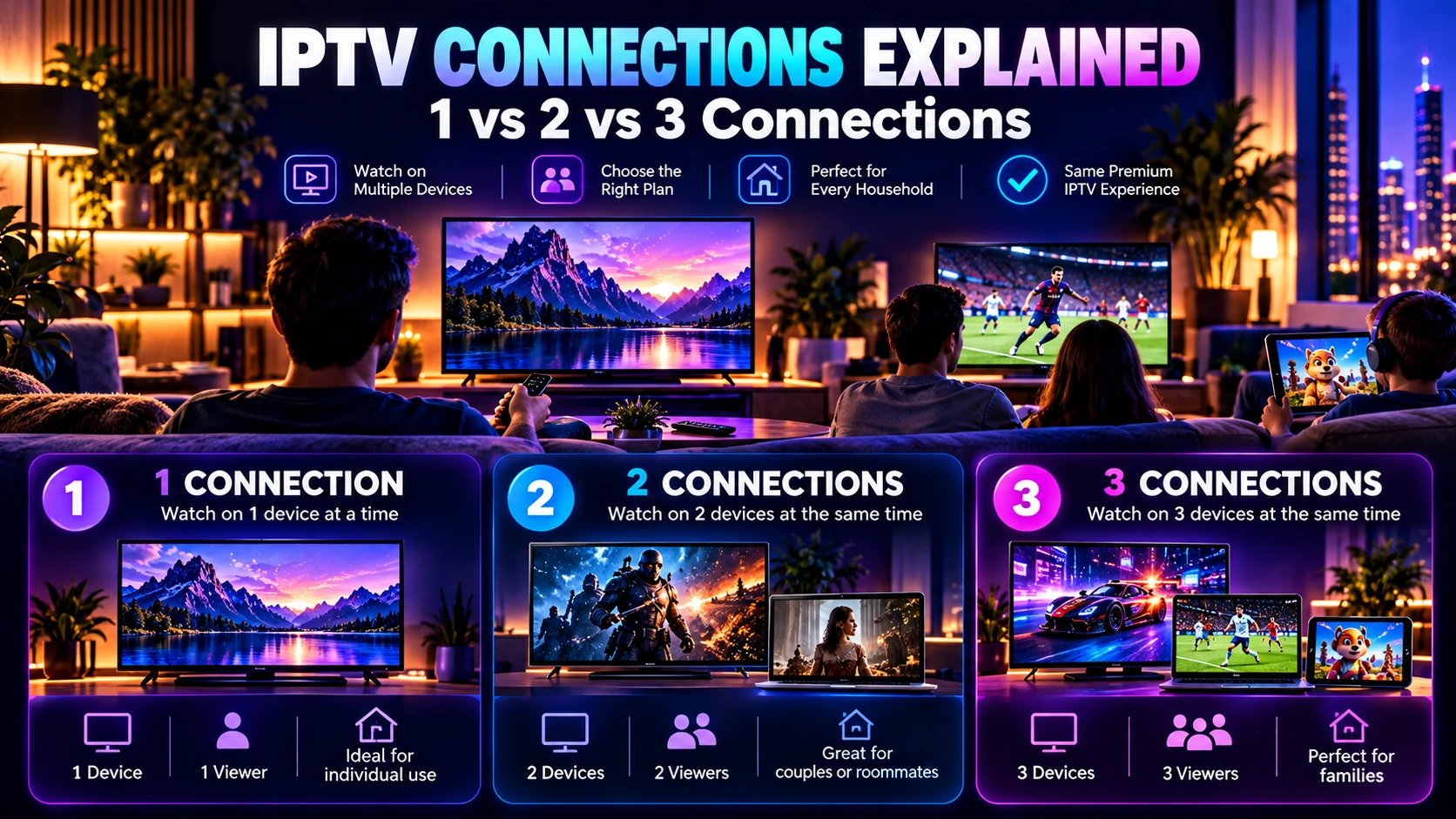
Quick answer: IPTV connections mean how many streams can run at the same time. One connection allows one simultaneous stream, two connections allow two, and three connections allow three. This is different from how many devices can have an IPTV app installed.
Choosing between 1, 2 or 3 IPTV connections is mainly about how many streams need to run at the same time. The number of connections is not the same as the number of devices where an IPTV app can be installed.
This guide explains the difference between single and multi-connection IPTV plans, gives practical examples, and helps you decide which option makes sense before you order. For the broader buying decision, use our guide to choosing an IPTV subscription to compare channels, devices, connections, trial testing, support and pricing together.
What does an IPTV connection mean?
An IPTV connection generally refers to one simultaneous stream. If a plan allows one connection, one stream can be active at a time. A two-connection plan is designed for two simultaneous streams, while a three-connection plan is intended for three streams at the same time.
Connections are not the same as installed devices
You may have an IPTV app available on a Smart TV, phone, tablet or streaming device, but the connection limit determines how many streams can run at the same time under the plan.
Before choosing a package, think about your real viewing routine: how many people normally watch at once, which rooms are used, and whether two or more screens are often active together. Your home network also needs enough capacity for those simultaneous streams; our IPTV internet speed guide explains the bandwidth side in detail.
1 connection: best for one active screen at a time
A single-connection plan can be suitable when one person or household normally watches on only one screen at a time. It is often the simplest option for an individual viewer or a household that does not need two screens streaming at the same moment.
2 connections: useful for two simultaneous viewers
A two-connection plan can make sense when two people regularly watch different content at the same time. For example, one person may watch sports in the living room while another watches a movie on a second compatible device.
Review the current 2 Connections IPTV plans to compare the available subscription durations and plan details.
3 connections: designed for larger simultaneous use
A three-connection plan is aimed at households or users who need three streams running at the same time. This can be useful when several people regularly watch different channels or content on separate screens.
Compare the current 3 Connections IPTV plans if three simultaneous streams fit your normal viewing pattern.
Quick comparison: 1 vs 2 vs 3 connections
| Connections | Simultaneous streams | Best for | Next step |
|---|---|---|---|
| 1 connection | 1 stream | One active viewer or one screen at a time | Compare IPTV plans |
| 2 connections | 2 streams | Two people or two screens used at the same time | View 2 Connections plans |
| 3 connections | 3 streams | Households that regularly use three screens at once | View 3 Connections plans |
The best choice is the smallest connection count that comfortably covers the number of simultaneous viewers you expect. If you already know how many streams you need, you can compare the current IPTV Door options using the links above.
How to choose the right number of connections
- How many people watch at the same time? Count simultaneous viewers, not total family members.
- How many screens are usually active together? Think about evening and weekend usage.
- Do viewers need different content at the same time? If two or three people frequently watch different programs, a multi-connection plan may be more practical.
Example household scenarios
One person, several devices
If one person watches on a Smart TV and occasionally switches to a phone or tablet, but does not stream on both at the same time, one connection may be enough.
Couple or two-person household
If two people sometimes use two separate devices simultaneously, a two-connection plan may provide the flexibility they need.
Family with several active screens
If three people regularly want different content at the same time, a three-connection plan can be more appropriate.
Does a higher connection count mean more channels?
No. The connection count describes simultaneous usage, not necessarily the number of channels or categories included. Channel availability depends on the service and package. Check the IPTV channels list if a specific regional, sports or entertainment channel matters to you.
Does every device work with every IPTV service?
Compatibility can depend on the device, operating system and IPTV player being used. Smart TVs, streaming devices, phones, tablets and computers are common device types, but the exact setup can vary. See our IPTV compatible devices guide for a device-by-device checklist before choosing a player. If playback is unstable, use our IPTV buffering troubleshooting guide to isolate the cause step by step.
What if I choose too few connections?
If your household frequently needs more simultaneous streams than the plan allows, the plan may not match your normal viewing pattern. Decide the required connection count before purchase instead of choosing only by price.
What if I choose more connections than I need?
If only one screen is normally active, a higher connection count may offer little practical benefit. Choose based on simultaneous use rather than the total number of devices you own.
Compare IPTV plans and durations
After deciding how many simultaneous connections you need, compare the current IPTV subscription plans and pricing or browse all IPTV subscription packages. For a single-connection subscription, you can also review the current 1 Month, 3 Months, 6 Months and 12 Months options directly.
If you are buying for customers rather than personal use, our IPTV reseller panel guide explains how connections, credits and renewals fit into reseller management.
IPTV connections FAQ
Can I install IPTV on more devices than my connection count?
The connection count refers to simultaneous streams, while installation and login rules can vary by service and app.
Can two people watch different channels with two connections?
A two-connection plan is intended for two simultaneous streams, which can support two viewers watching separately when the service and setup allow it.
Do I need three connections for three televisions?
Not necessarily. The key question is whether all three televisions need to stream at the same time.
Which IPTV connection plan should I choose?
Choose according to the maximum number of simultaneous viewers you realistically expect.
Final recommendation
Start with your actual viewing habits rather than the number of devices in the house. Count how many streams need to run at the same time, then choose the plan that covers that usage comfortably. You can compare IPTV Door plans, review the 2 Connections options or 3 Connections options, and contact IPTV Door support if you are still unsure before ordering.
