
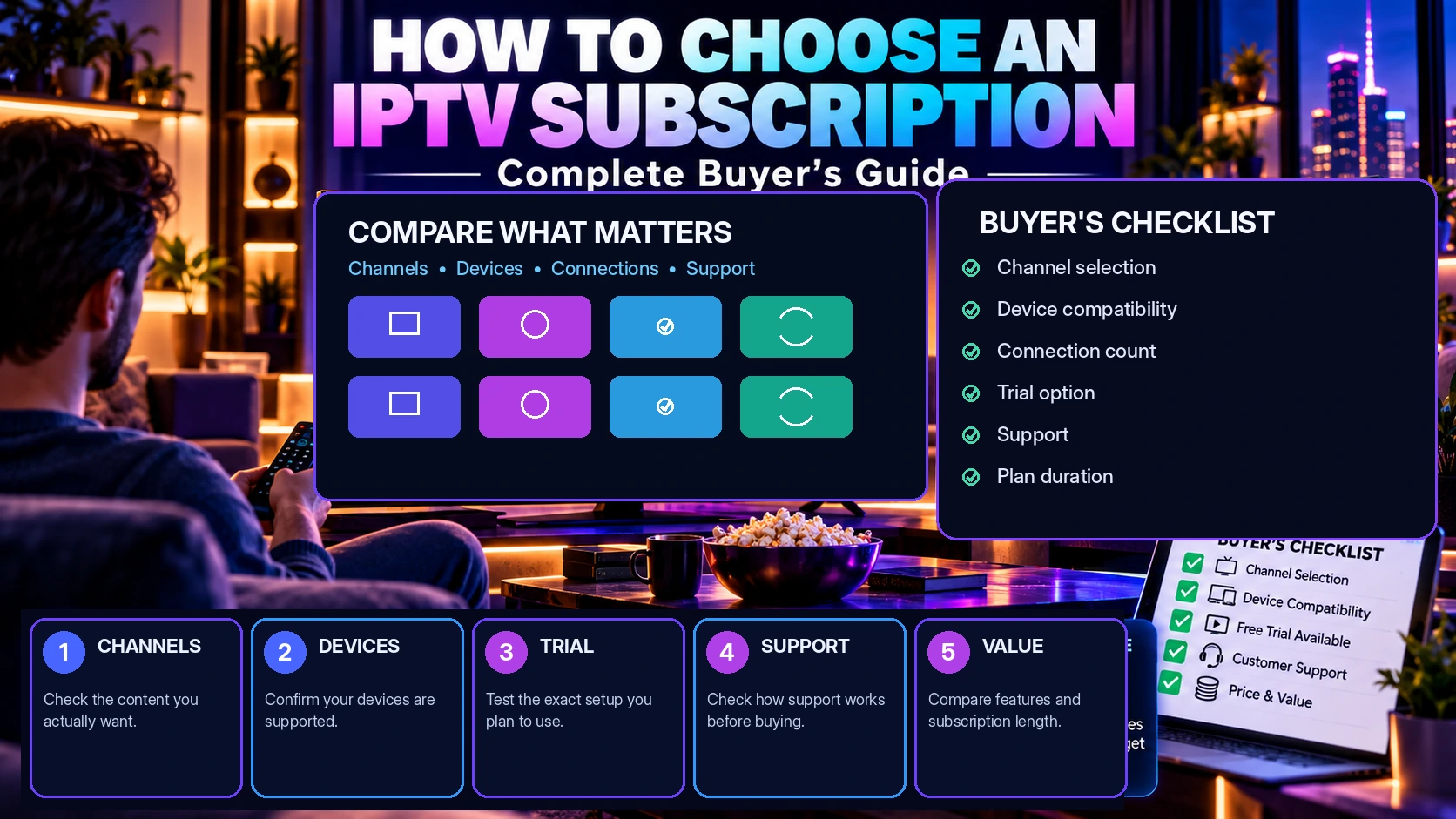
How to Choose an IPTV Subscription in 2026: Complete Buyer’s Guide
Choosing an IPTV subscription in 2026 is less about finding the biggest channel count and more about finding the right fit for your devices, viewing habits, internet connection, simultaneous streams and support expectations.
This guide gives you a practical framework for comparing IPTV services before you subscribe. You will learn what to check in the channel list, how to evaluate device compatibility, how many connections you may need, what internet setup matters, how to use a free trial properly, and which warning signs deserve extra attention.
Quick answer: A good IPTV subscription should match your must-have channels, work reliably on your main devices, offer the number of simultaneous connections you actually need, and give you a clear way to test compatibility and support before committing to a longer plan.
Start with your viewing needs first. Then compare the service around them.
Table of contents
- 5 things to check before you buy IPTV
- 1. Check channels and content first
- 2. Confirm device compatibility
- 3. Choose the right number of connections
- 4. Evaluate streaming quality and your internet setup
- 5. Test support and use a free trial properly
- How to compare IPTV pricing
- IPTV subscription red flags
- Final buyer checklist
- IPTV subscription FAQ
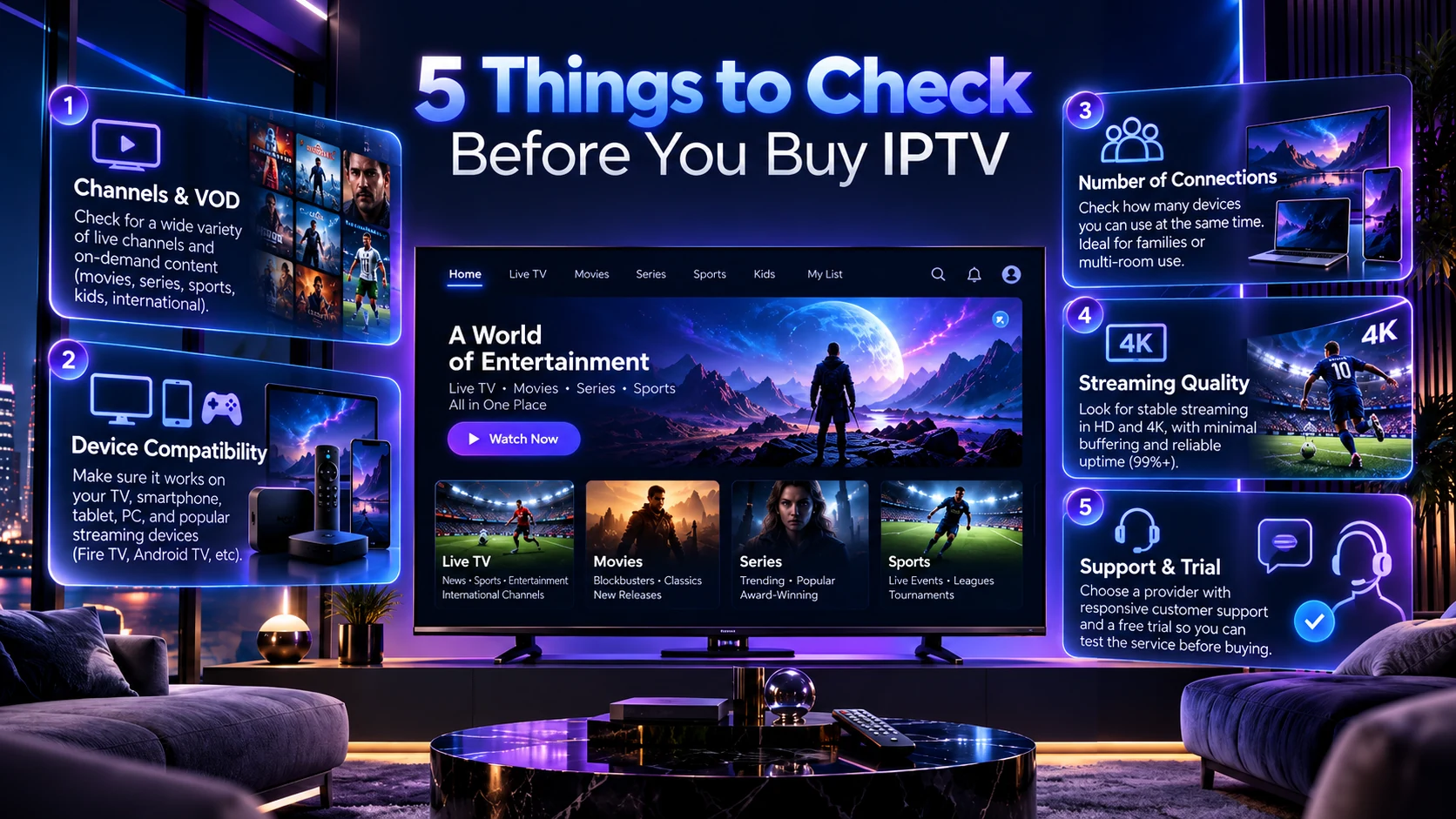
5 things to check before you buy IPTV
The fastest way to compare IPTV subscriptions is to focus on five areas: content, compatibility, connections, playback quality and support. These five checks help you avoid choosing a plan based only on price or a large marketing number.
1. Check channels and content before comparing price
A low price is not useful if the channels you care about are missing. Start by writing down the content that matters most to your household: local channels, sports, news, movies, series, international channels, kids content or a specific regional package.
Then compare that list with the provider’s current IPTV channels list. Regional pages can also make the comparison easier when you are mainly interested in a specific market such as North America, the UK and Ireland, the Middle East, Africa, Asia, Europe, Latin America or Australia and New Zealand.
Do not judge a service by one huge channel-count number
Raw channel counts can include regional duplicates, backup streams and categories you may never use. A better question is: does the service carry the channels and content types I actually need?
Channel availability can also change over time because providers and upstream sources change. If one channel is essential for you, confirm it before ordering instead of assuming that every list is permanent.
Live TV versus movies and series
If your household uses both live TV and on-demand content, check both during your evaluation. A service can perform well for movies and series while a particular live category behaves differently, or vice versa. Testing both gives you a more realistic picture.
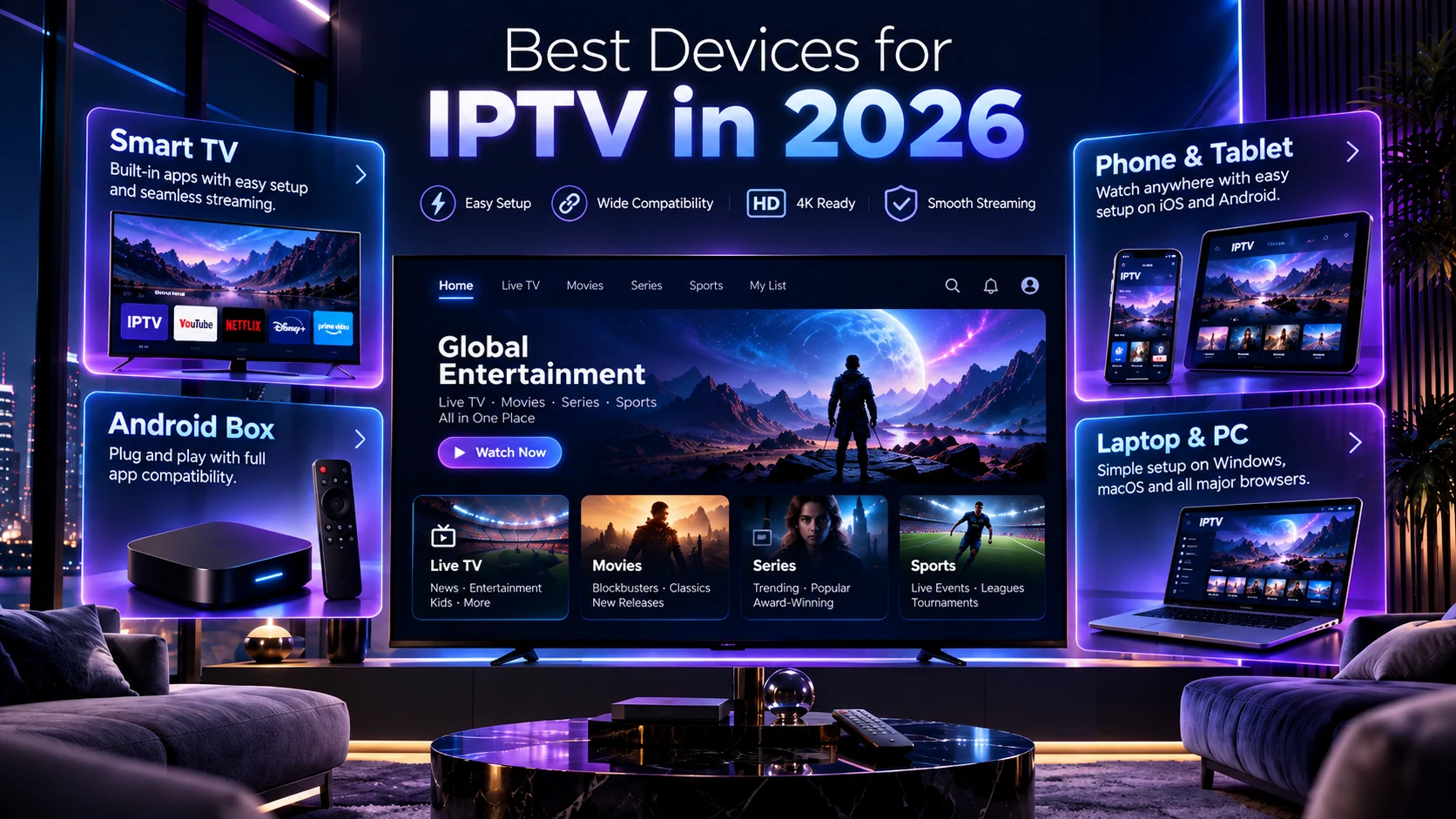
2. Confirm that the IPTV subscription works on your main devices
Compatibility matters more than people expect. Before choosing a plan, identify the device you will use most often. That may be a Smart TV, Android TV or Google TV device, Fire TV, Apple TV, phone, tablet or computer. Our Best IPTV Devices in 2026 comparison explains the main trade-offs between those platforms.
Our IPTV compatible devices guide explains common device categories and setup considerations in more detail.
Smart TV
A Smart TV can be convenient because everything stays on one screen, but app availability and performance vary by TV platform and model. Check whether a supported player is available on your television before you commit to a long subscription.
Android TV and streaming boxes
Dedicated streaming devices can be useful when the TV’s built-in software is slow or limited. They can also make it easier to update the player independently of the television.
Phone and tablet
Mobile devices are useful for quick testing, but do not test only on your phone if your main viewing device will be a television. Use the same type of device you plan to use after purchase.
Laptop and desktop
A computer can help isolate device problems during troubleshooting. If playback works well on a computer but not on the main TV, the issue may be related to the TV, player or local device setup rather than the account itself.
3. Choose the right number of simultaneous IPTV connections
One of the most important decisions is how many people need to watch at the same time. A connection is about simultaneous use, not simply how many devices you own.
For example, one household may own five devices but only watch on one screen at a time. Another household may need three simultaneous streams in different rooms.
Read our IPTV connections meaning guide for a full explanation of how 1, 2 and 3 connections differ.
| Household use | Typical need |
|---|---|
| One viewer at a time | 1 connection may be enough |
| Two people watching at the same time | Consider 2 Connections IPTV plans |
| Three simultaneous viewers or multi-room use | Compare 3 Connections IPTV plans |
Choosing too few connections can create avoidable friction in a multi-viewer home. Choosing more than you need can add unnecessary cost. Match the connection count to real simultaneous viewing.
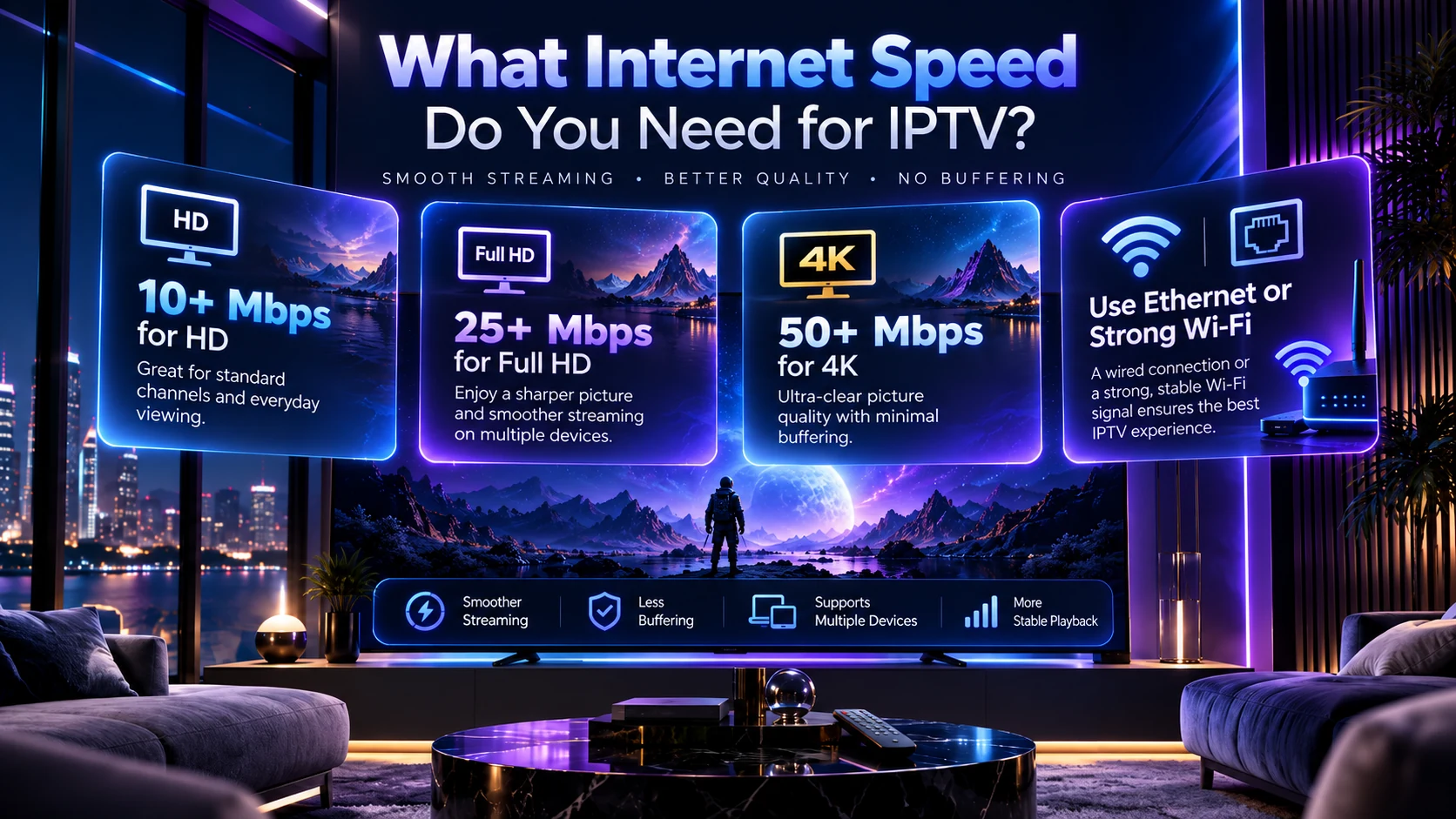
4. Evaluate streaming quality on your real internet connection
Streaming quality is not determined by one speed-test number. Your experience can be affected by Wi-Fi signal strength, network congestion, device performance, the player app and the stability of the stream itself. Our IPTV internet speed guide explains HD, Full HD and 4K planning ranges, Wi-Fi vs Ethernet and simultaneous-stream bandwidth in more detail.
As a practical starting point, many households aim for additional headroom above the bitrate required by the stream. The values in our visual guide—around 10+ Mbps for HD, 25+ Mbps for Full HD and 50+ Mbps for 4K—are best treated as comfortable household starting points rather than universal guarantees. Different codecs, services and network conditions can require more or less bandwidth.
Ethernet versus Wi-Fi
If your main TV or box is close enough to the router, Ethernet can remove wireless interference and signal strength from the equation. If Ethernet is not practical, use a strong, stable Wi-Fi connection and test the service where the device normally sits.
Do not test quality on only one channel
Check several live channels, movies or series during the times you normally watch. This helps separate a single-stream issue from a wider network or device problem.
If you already have playback problems, use our IPTV buffering troubleshooting guide to isolate Wi-Fi, Ethernet, device and player issues step by step.
5. Test customer support and use a free trial properly
A free trial is most useful when you treat it like a checklist, not just a quick channel browse. Test the exact setup you plan to use after purchase.
During a trial, check:
- your must-have channels;
- your main TV or streaming device;
- live TV and on-demand content;
- Wi-Fi or Ethernet under normal household conditions;
- the number of simultaneous streams your plan is expected to support;
- how quickly support responds when you ask a clear setup question.
Use our IPTV free trial checklist for a structured test before choosing a longer subscription.
How to compare IPTV pricing without choosing on price alone
Price matters, but it should come after fit. Compare plans using the same criteria: subscription length, number of simultaneous connections, compatibility, channel availability and the level of support you need.
You can review current IPTV pricing and subscription plans to compare plan lengths and multi-connection options. For direct plan details, see the 1 Month IPTV Subscription, 3 Month IPTV Subscription, or 12 Month IPTV Subscription.
Shorter plans can reduce commitment while you evaluate
If you are new to a provider, a shorter plan can give you more time to evaluate the service before making a longer commitment. Once you are confident in compatibility and performance, you can compare the longer-duration options.
Do not compare two plans only by total price
A plan with more connections or a different duration is not directly comparable to a single-connection short plan. Compare like for like.
IPTV subscription red flags to watch for
Be cautious when the buying process gives you very little information about compatibility, channel availability, support or plan limits. A clear provider should make it easy to understand what you are buying and how to ask questions before purchase.
- Unclear connection limits
- No practical way to confirm a must-have channel
- No explanation of device compatibility
- No support contact before purchase
- Pressure to buy a long plan before testing
- Claims that guarantee perfect uptime or performance in every network condition
Final IPTV buyer checklist
- Write down your must-have channels and content categories.
- Confirm your main device is compatible.
- Choose the correct number of simultaneous connections.
- Test playback on the same network you will use every day.
- Compare Wi-Fi with Ethernet if possible.
- Use a trial to test channels, devices, playback and support.
- Compare pricing only after the technical fit is clear.
- Keep realistic expectations about changing channel availability and network conditions.
Next step
Ready to compare your IPTV options?
Start with the IPTV channels list, review IPTV pricing, and confirm whether you need 2 connections or 3 connections.
Not sure yet? Use the free trial checklist to test your setup before choosing a longer plan.
IPTV subscription FAQ
What should I check before buying an IPTV subscription?
Check channel availability, device compatibility, simultaneous connection limits, playback quality on your own network, support responsiveness and whether you can test the setup before committing to a longer plan.
How many IPTV connections do I need?
Choose based on how many people need to watch at the same time. One connection may suit a single simultaneous viewer, while households with multiple viewers may need two or three simultaneous connections.
What internet speed is good for IPTV?
There is no single speed that guarantees perfect playback in every situation. As a comfortable starting point, households often allow around 10+ Mbps for HD, 25+ Mbps for Full HD and 50+ Mbps for 4K, with extra headroom for other devices. Stability, Wi-Fi quality and device performance matter too.
Should I use Ethernet or Wi-Fi for IPTV?
Both can work. Ethernet is useful for removing wireless interference from the test, while strong Wi-Fi is more convenient in many homes. If playback is unstable on Wi-Fi, compare the same device using Ethernet when possible.
Is a free IPTV trial worth using?
Yes, when it lets you test your own device, network, must-have channels, content categories and support experience before choosing a longer subscription.
Where can I compare IPTV subscription plans?
See the IPTV Door pricing page for current subscription durations and multi-connection options.
Final thought: the best IPTV subscription for your household is the one that matches your actual channels, devices, connection count and network—not simply the one with the biggest marketing number.
